
MGI Zip Navigator setup: folding, calibrating and the manual
Mgi navigator at manual: Setting up an MGI Zip Navigator or Zip Navigator AT: weights and carry capacity, fitting your bag, registering the buggy, servicing and where folding and trimming steps live.
Which Zip Navigator do you have?
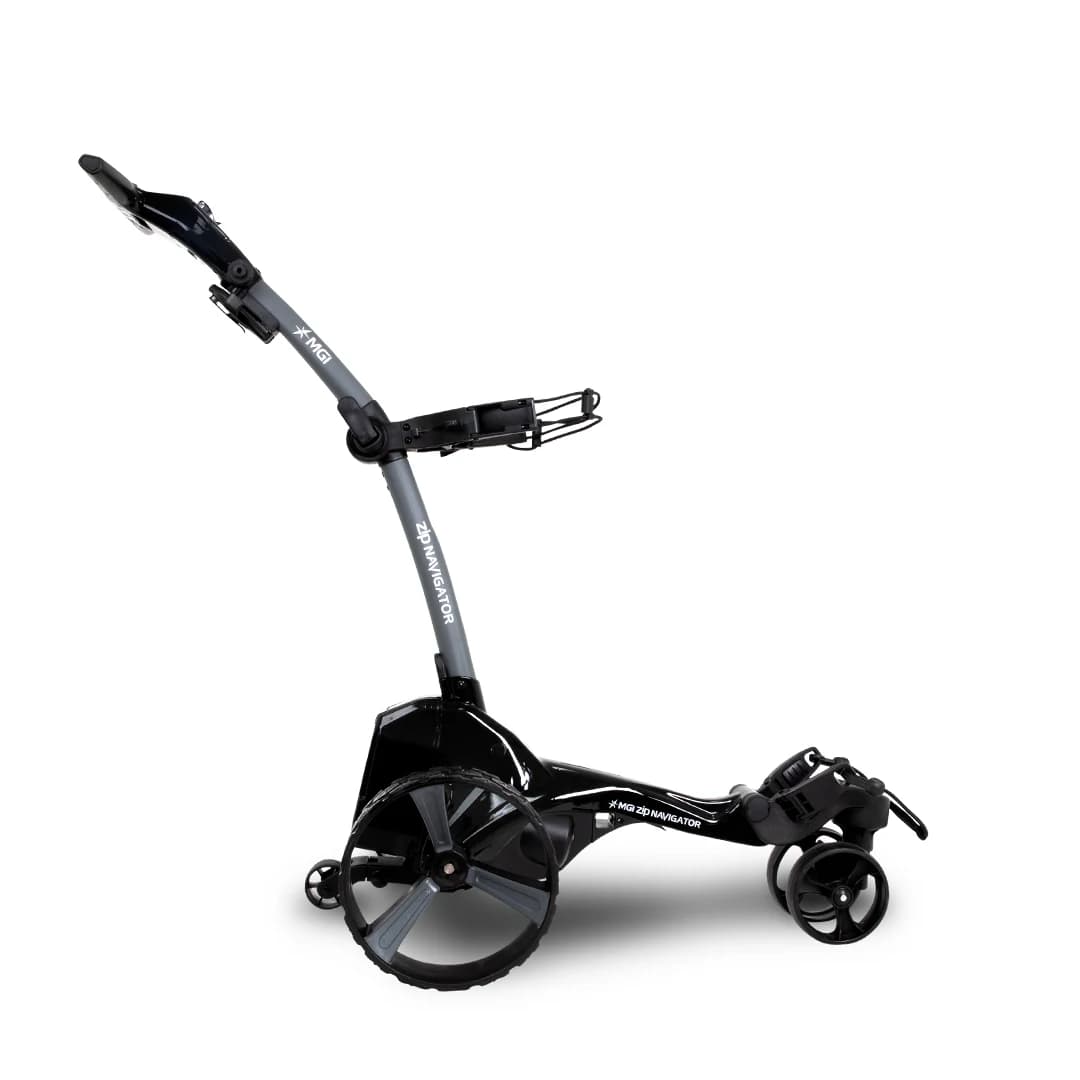
MGI sells the Zip Navigator and an all-terrain version, the Zip Navigator AT. Check the label or your invoice before looking up instructions, because the document that matches your model is the one to follow. We list both in our walk-behind range.
Weight and carry capacity
The Zip Navigator AT weighs 16.5kg and the Zip Navigator 13.0kg, against 11.75kg for the X5, 11.25kg for the X3 and 10kg for the X1. Zip series buggies have a carry capacity of 20kg, and MGI advises against exceeding it because it may damage the buggy.
Fitting your golf bag
MGI buggies are designed for a cart bag.
- •1. Lock the handle into its highest position.
- •2. Lower the top bag support into position.
- •3. If you use a stand bag or another brand of cart bag, add a bag block or bag rest spacer for a snug fit.
Register the buggy
Registering speeds up servicing and warranty handling.
- •1. Find the serial number: it is 15 letters and numbers, at the base of the battery mount and inside the top box storage compartment.
- •2. Register it on the MGI website at mgigolf.com/tools/register and follow the prompts.
First charge and care
Charge a new battery for at least eight hours or overnight before first use, until the charger light turns green, and recharge the remote at the same time as the main battery. Do not leave the battery handle engaged after you finish playing, because it drains the battery.
Servicing
MGI recommends a service every 12 months or 500km, following the Preventative Maintenance Program in your user manual. Approved service centre locations are listed on the MGI website.
Folding and motor trimming
MGI does not publish folding or motor-trimming steps on its FAQ pages. Those are in the owner's manual and in the PDF and video MGI links from its troubleshooting pages for the Zip Navigator and Navigator AT, so use those for your model.
Frequently Asked Questions
MGI ZIP Navigator
Full Directional Remote, Gyroscope Straight Tracker, Downhill Speed Control. Available for immediate dispatch from our Yatala QLD depot with nationwide enclosed delivery.
More Australian Golf Buggy Guides
Petrol Vs Electric Golf Buggy: Real Running Costs Compared In Australia
A straight comparison of what actually costs money to run a petrol versus an electric golf buggy in Australia over time: fuel and charging, servicing, and the trade-offs each still has despite the cost gap.
4-Seater Vs 6-Seater Golf Buggies: Which Fits Your Family Or Fleet?
How to actually decide between a 4-seater and a 6-seater golf buggy: real passenger use versus occasional capacity, footprint and storage, and where the extra cost of a 6-seater genuinely pays off.
Trading In Your Old Golf Cart In Australia: What It’s Worth & How It Works
How trading in an old golf buggy at The Buggies Express actually works, what genuinely affects the figure you’re offered, and why it’s usually simpler than a private sale once you account for the effort involved.